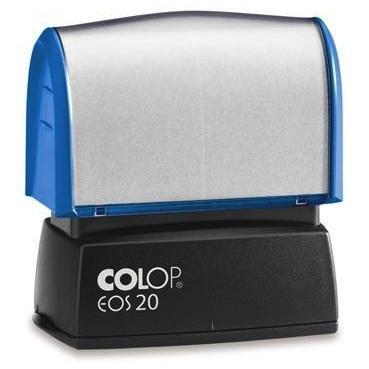
How to Make your own Company Stamp


The company stamp is not a mandatory element since the law does not require it. However, it is highly recommended because it is sometimes a problem if you do not have one for example, in official documents (invoices, contracts, etc.). Making your own company stamp is quite easy, just follow some steps and consider what information to include.
You'll need:
- Computer
- Word processor
- Image editor
Steps to follow:
To design the stamp for your company, you can do it in several ways. The easiest is to do it on Word and then make a screenshot and crop the image to 275 pixels wide and 130 high. The stamp design should be simple. You can see an example in step 3.
However, if you are good at designing, you can use Photoshop or Illustrator if you prefer. Additionally, online design tools like Canva can be helpful for those who want a user-friendly platform to create professional-looking designs without extensive design skills.
If your company has a more laid-back approach to it you can go creative and make the logo the center of attention of your stamp. This approach can help in making your brand more memorable and visually appealing to your clients.
The stamp design of your company must include at least the following information: social / fiscal data of the company, VAT and society registration information. The registered office is often put but not required, and contact details are optional. Including your website URL can also be beneficial, especially for businesses that heavily rely on online presence.
Ensure that all the information is accurate and up-to-date to avoid any potential legal issues or misunderstandings with clients or partners.
As for the name, unless the brand is duly registered, you must put your full name. If for example your company is called "Global Media Resellers SL" and you have "GMR" as a registered trademark, you can put the latter but to make it more official you should put the full name.
Additionally, consider the typography of the name. A clean and professional font can enhance the stamp's readability and aesthetic appeal.

Save the image with the stamp in JPG format. It is also advisable to save a copy in a lossless format like PNG to ensure the quality is maintained when further edits are needed.
Having a backup in multiple formats can be a lifesaver if you need to make adjustments or use the design in different mediums in the future.
We recommend that you make the stamp in a single color, best in black on white, as this will make it easier when it comes to creating the physical mold. A monochrome design is not only cost-effective but also ensures clarity and sharpness in the final product.
In case you are considering using colored ink, make sure it aligns with your brand's color scheme and does not compromise the visibility of the text.
Take the image to a stationary specialist to get it made. Another option is to do it online with sites such as Vistaprint or Rubberstamps.net. Online services often provide previews and additional customization options, making the process more convenient and tailored to your needs.
Now that you have a company stamp you may also want to learn the most effective Social Media Marketing techniques for your business. Integrating your stamp usage with online marketing strategies can further enhance your brand's visibility and professionalism.
If you want to read similar articles to How to Make your own Company Stamp, we recommend you visit our Legal category.
Tips
- Do not put a lot of information on the label as this may make it difficult to read. Prioritize the most essential details and ensure they are legible.